My planning, writing and sketching tools
Here's what's in my stack currently:
Analog writing and sketching
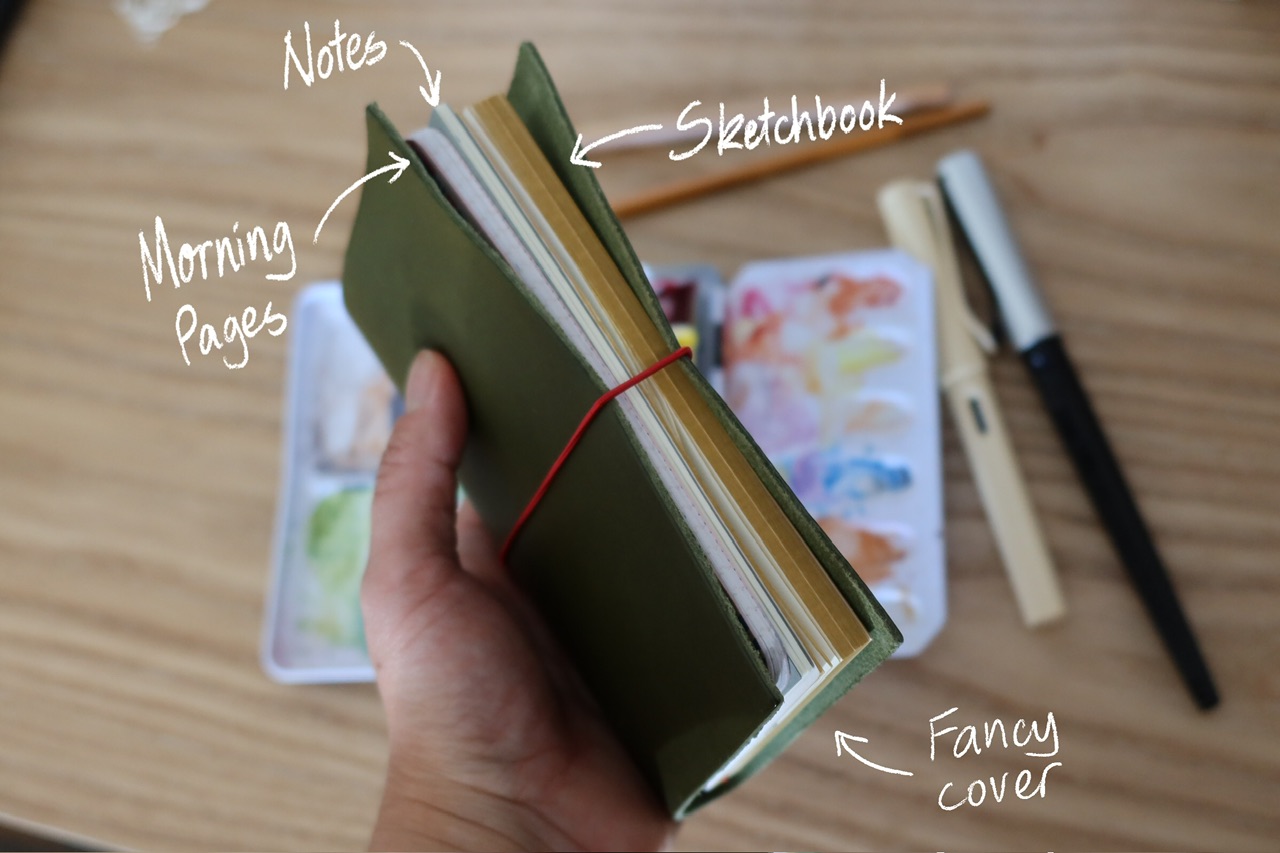
I'm still using my pocket (A6) sized Paper Republic leather cover - more on my notebook system here. Inside I have:
- A plain notebook for personal projects, diagrams, sketchnotes, to-dos and thoughts. Currently using a plain Moleskine cahier notebook.
- A homemade notebook for Morning Pages, using old dot grid Leuchturm notebook paper.
- A sketchbook with smooth mixed media paper nice for sketching and painting. Currently using a homemade sketchbook.
- A light blue coloured Kaweco Sport fountain pen with sepia ink for writing and drawing (I also use various other art materials but this is the one always with the notebook)
I mostly use digital tools for work, but also have a Rhodia A5 notebook for work doodles, wireframes and mind maps.
Digital writing
In 2025 I consolidated my various digital note taking tools to simplify a little, to allow for better cross linking, and play around with using locally run LLMs to "chat" with my notes. Obsidian is the tool I landed on, for its portability and extensibility (although these two things do conflict with each other a bit). The key thing for me is that it works across my devices, albeit not quite as smoothly as other options.
In Obsidian I have:
- Work notes and to-dos. I don't go as hardcore with this as some - I have a page to house notes for each of my work projects, plus a page for each week's to-do list. At work we use Jira for task management, so the tasks I keep in my Obsidian vault are more granular.
- Fleeting notes, reading notes, and evergreen notes. This is my zettlekasten, my personal digital garden of notes from things I've read, heard or thought about. Each evergreen note contains one idea and usually a bunch of references, (ideally) linked densely with other notes. The fleeting notes are mostly highlights from articles I've saved to Instapaper.
- Website writing. I publish some of my notes online, including Art, Writing, Letters, and a smattering of my evergreen notes. Here's My Obsidian workflow for notes that I publish to teresawatts.com
Previously
I used to use Notion for work and personal notes, and Bear my reading notes, fleeting notes and evergreen notes. I do still really like those apps, but it's nice to have everything together in Obsidian.
Large Language Models (AI)
Strange that this one now has a place in my planning and writing stack. I still prefer to use AI as a co-intelligence as opposed to something I outsource writing to. I don't currently have any loyalty to a particular model other than using Gemini for work-related queries as we are given pro-level access to it. I don't usually have subscriptions to other LLM services unless I have something I particularly want to do with it; otherwise the free versions is enough to answer my needs.
Digital sketching
iPad Air + Apple Pencil + Procreate. These are my tools of choice for digital painting, and I'm so used to Procreate that I've struggled to use anything else for sketching.