Little automations for a calmer week
Lately I've been trying to notice when small, recurring things annoy me and see if I can improve them or avoid them entirely. Usually these things are small enough that the effort required to address them is disproportionately large, but now with Large Language Models available there's suddenly a lot more possible.
Here are a couple of scripts I've written to help me have a calmer week, where AI did most of the actual coding. These all use Google Apps Script as we use Google Workplace at my work.
Weekly meetings summary
At the end of each week I like to loosely plan out the following week of work. A week feels like a long time, and I often conveniently forget that I work alternating Wednesdays and often have hours of meetings each day, which results in my having a far too ambitious list of things to do.
To help me remember this, every Thursday (the end of my work week), I would go through my calendar for the next week and write into my notes what meetings I had on and for how long, mentally totalling up the number each day. This is exactly the kind of useful but tedious and repetitive task that I like to try and outsource to automation where I can.
Now I have a script that looks through my calendar for the next week, puts it into an email in list form, and totals up the number of hours I'll be spending in meetings for each day and for the whole week. It also shows when I have a non-working day, so I don't accidentally plan anything for it.
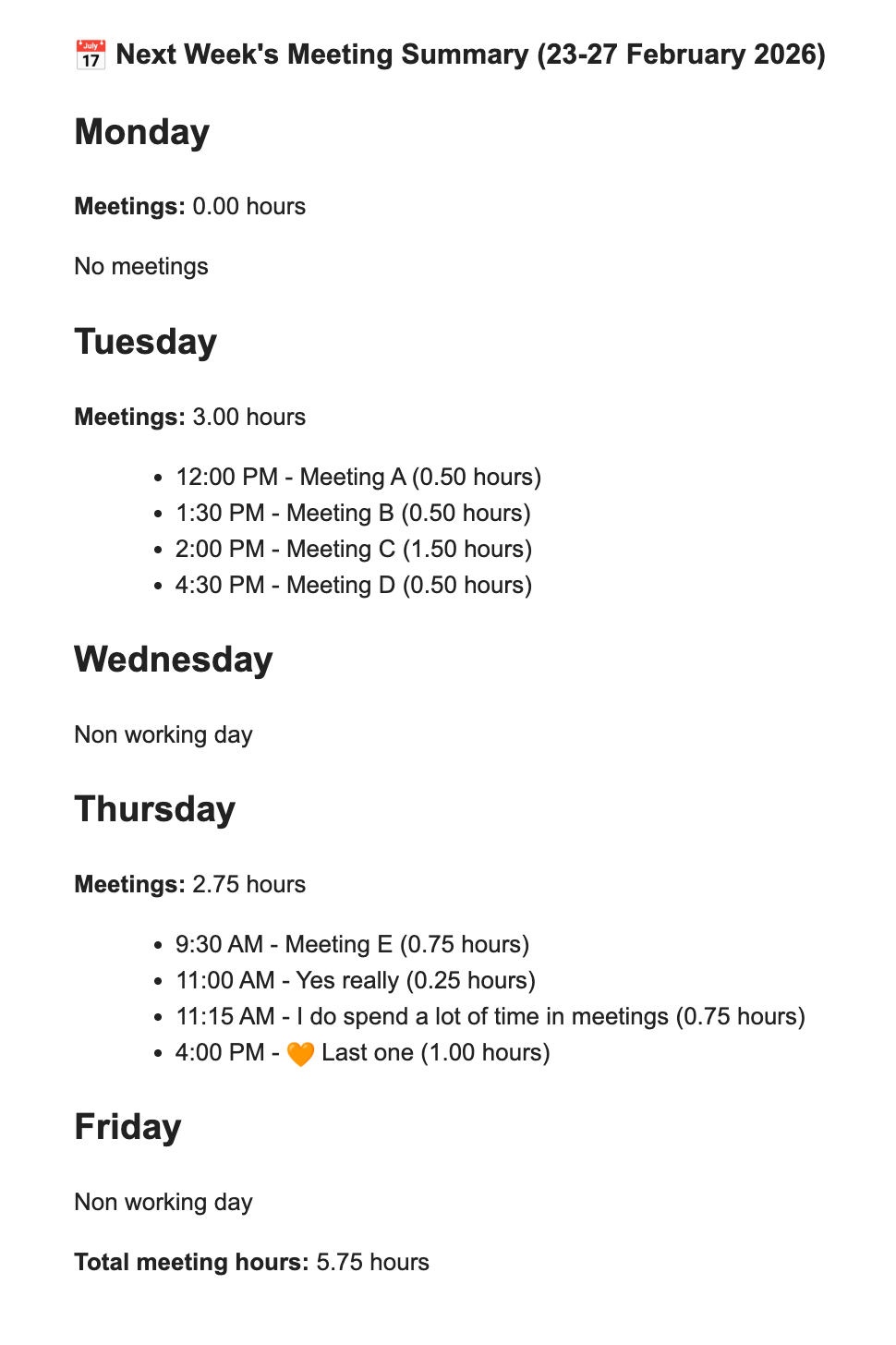
Creating this script was more difficult than I originally thought, especially using a free version of ChatGPT. Some things I had to account for:
- Determining non-working days and days off - whole day calendar entries that I wanted to just appear as "non-working day" in my weekly summary.
- My "focus time" blocks and other calendar events that only include myself, which I didn't want to appear in my summary.
- Meetings I was invited to but have not yet accepted, which I did want to include.
- Meetings I was invited to and declined, which I wanted to exclude.
- Meetings that I didn't accept or decline because I was the organiser
- Displaying the results in a usable format in the console, for debugging (there was a lot of debugging)
- Automatically formatting the results into an email and making it send when the script is run manually.
- Automatically sending the email every Thursday.
Following ChatGPT's instructions, I pasted the code into Google Apps Script, making sure that the script output any results into the console before trying to get it to send me an email. This was the fastest way to spot bugs - and there were many! - which I could then feedback into ChatGPT or try to debug myself. I can mostly read Javascript but would not have known where to begin in writing something like this from scratch, simple as it is.
I've formatted the email that it sends me to be able to be pasted nicely into Obsidian, where all my digital notes live. I could probably take it a step further and automate the generation of this file somehow too, but I don't mind the ritual of pasting it in and planning for my next work week. I think it's valuable to know when to stop, when pushing even further isn't adding any extra value or is even automating away something where the value lies in taking the time to do the thing yourself.
Sprintly meetings summary
The Products team at my company works in 3 week sprints, beginning on a Wednesday and ending on a Tuesday. I had a similar issue with overcommitting to work in a sprint where I had more than the usual number of non-working days or meetings. So with some more LLM help, I created a spin on the weekly meetings summary script that instead looks at the 3 week sprint, summarises the number of hours in meetings at a weekly level, and also lets me know how many working and non-working days I have.
This was much easier building off of the previous one, the only tricky part being figuring out the start and end dates of the sprint, and accurately counting the meetings in those days, especially with the change happening mid-week. Since we have recurring meetings for end of sprint review, I was able to make the script look for a particular meeting name and create the summary email based on the time between two upcoming occurrences. This then emails to me the day before end of sprint.
This sort of thing isn't ground-breaking, and isn't what generally comes up when I search for how generative AI tools and workflows can help UX designers. The final result isn't an AI agent, just a little bit of code that does one thing. But they're small, personalised scripts that do exactly what I need and nothing more, that I wouldn't have bothered to try and build if I didn't have LLMs writing the code for me. These little automations make a tedious but important task a little easier, to free my time up to spend on the good stuff.